I love how easy it is to plan around my two-week pay schedule. Before this, I was always guessing how much money I had left after bills. Now everything is laid out clearly, and I actually look forward to checking my budget.
Know which paycheck
covers each bill.
A biweekly budget template for Google Sheets. Plan bills around paychecks that arrive every two weeks and see what’s left for everyday spending.
Free workbooks. No payment, email or bank connection required.
Find your fit

What Our Customers Say
See why people love our templates.
Designed around your day
One task. A simpler view.
Choose a Google Sheets template for your monthly budget, everyday expenses, debt repayment, or biweekly paychecks. Try the sample previews to find your fit.

Give every paycheck a plan
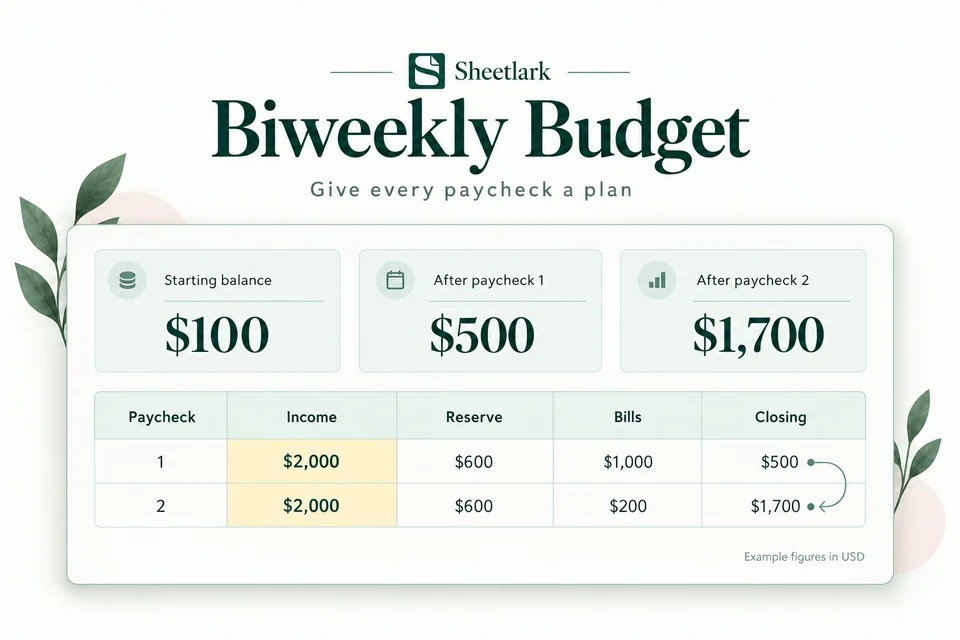
Biweekly Budget
Know which paycheck covers each bill. Reserve everyday spending and spot a projected shortfall before your next biweekly payday.
- Assign bills to paychecks available before each bill is due
- See balances carry into the next period
- Generate monthly bill records, then paste values

Compare plan and actual
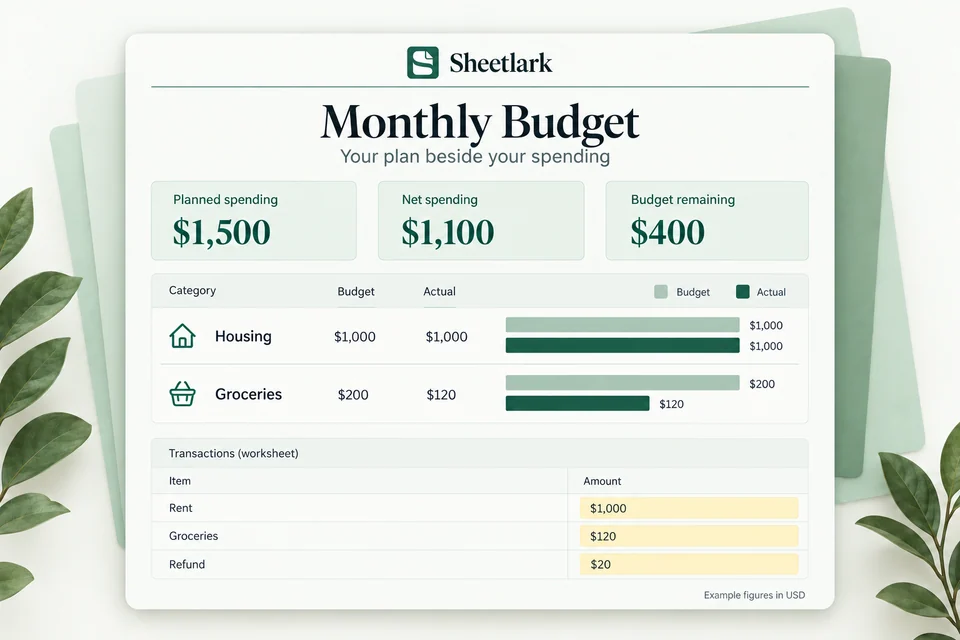
Monthly Budget
Compare your category budgets with actual spending. Account for refunds and see what remains in your monthly plan.
- Compare category budget and actual
- Keep refunds separate from new spending
- Spot over-budget categories

Understand everyday spending
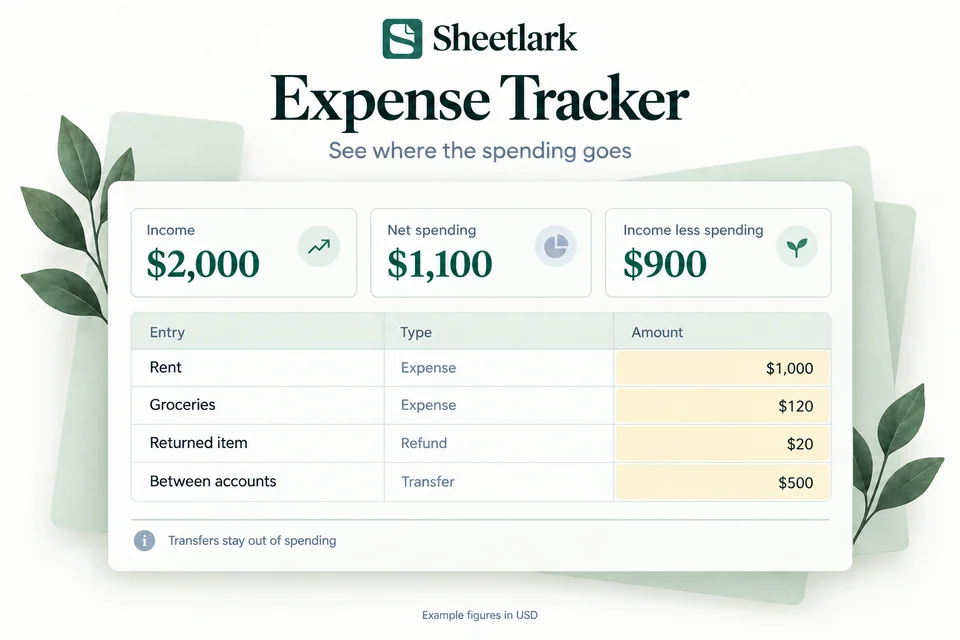
Expense Tracker
Record everyday transactions, see spending by category, and follow your month-to-date spending without counting transfers twice.
- Group purchases by category
- Handle income, refunds and transfers
- Follow cumulative spending through the month

Explore a repayment path
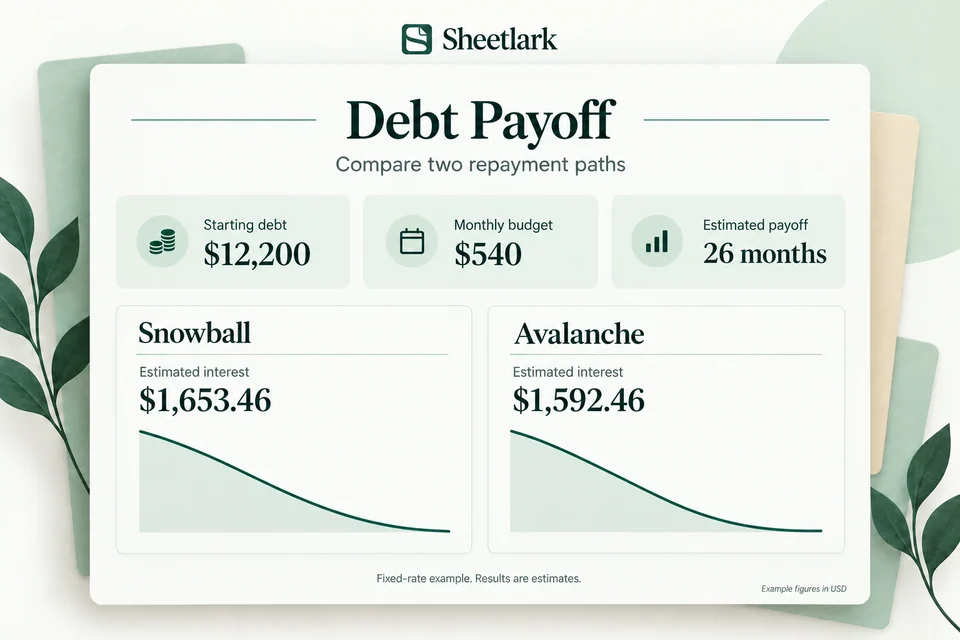
Debt Payoff
Compare snowball and avalanche payment priorities. Explore estimated payoff time, estimated interest and how extra payments change the balance curve.
- Compare snowball and avalanche
- Estimate payoff months and estimated interest
- See balances over the payment schedule
A simple starting point
Your spreadsheet.
Your own pace.
Create your copy
Choose a free workbook, then use a Google account to create a copy in your own Drive.
Try the example
Change a yellow number in Example. Practice stays separate from your own plan.
Fill the yellow cells
Enter your own information, then review Dashboard. No bank connection or script authorization is needed.
A little guidance to get started.
Follow a practical example, one step at a time.

How to Budget When You Get Paid Every Two Weeks
Plan bills between paydays, reserve everyday spending, and check what carries into your next paycheck.
Read the guide
How to Use a Monthly Budget Template in Google Sheets
Set category budgets, record transactions, and compare planned spending with actual spending.
Read the guide
How to Track Expenses, Refunds and Transfers
Keep transaction types distinct and understand what counts toward net spending.
Read the guide
Compare Snowball and Avalanche in a Spreadsheet
Compare the same debts and monthly budget, then check the estimates and assumptions.
Read the guideA few questions before you start?
Learn about formats, copying a template, and getting help.